
What IT Teams Must Test Before Trusting Cat6 for 10G (55 Meters)

Cat6 can carry 10GBASE-T, but only under a reduced distance of roughly 55 meters, and only when alien crosstalk and installation quality stay within margin. Beyond that range, or in dense bundles and high-heat closets, Cat6A or fiber becomes the reliable choice. Never assume a Cat6 run will hit 10G. Require field certification before you sign off on it.
TL;DR:
- Cat6 can support 10GBASE-T at roughly 55 meters in optimal conditions but often requires certification for alien crosstalk and insertion loss to confirm reliability.
- Heavy bundling, high temperatures from PoE, and poor termination quality can significantly reduce the effective 10G reach of Cat6 cables in real-world installations.
- Field certification for 10G over Cat6 must include extensive testing of alien crosstalk and full frequency response, often requiring Level IV testers and re-termination if parameters are marginal.
- Upgrading to Cat6A or fiber is advisable for runs over 55 meters, dense environments, or backbone links exceeding 100 meters, as they provide more reliable performance and future-proofing.
- Older or heavily handled Cat6 installations may not meet 10G standards without re-certification, and comprehensive site surveys are essential to determine the safe capability of existing cabling.
What Standards Set the 55-Meter Cat6 Limit?
The 55-meter figure is a commonly referenced limit based on the 10GBASE-T engineering under IEEE 802.3an, the standard that defines 10 gigabit Ethernet over twisted-pair copper. To hit 10 Gbps on four copper pairs, the standard pushes signal encoding into the 400 to 500 MHz range and relies on aggressive noise cancellation to pull a clean signal out of a channel that was never originally built for that frequency load.
Cat6 cabling is characterized to only 250 MHz. Cat6A and Class EA cabling are characterized to 500 MHz, which is why Cat6A supports the full 100-meter channel while Cat6 tops out around 55 meters under standard test methods. That 250 MHz ceiling isn’t a deal breaker for 10G, but it removes the signal-to-noise margin that Cat6A carries as a buffer against real-world interference.
Alien crosstalk is the variable that does the most damage to that margin. Unlike near-end crosstalk between pairs inside a single cable, alien crosstalk (measured as PSANEXT and PSAACRF) comes from adjacent cables in the same bundle. Field certification for 10GBASE-T must include these alien crosstalk metrics, because alien crosstalk is the single largest noise source working against a 10G signal running over twisted pair. Cat6A’s jacket construction and pair geometry are engineered specifically to suppress it. Standard Cat6 UTP was not.
TSB-155, the TIA’s supplemental bulletin for existing Category 6 cabling, formalized the field guidance around this problem. It documents expanded frequency testing and scaled insertion-loss targets for shorter, 55-meter channels, giving installers a defined path to qualify existing Cat6 runs for 10G rather than leaving it to guesswork.
A few numbers worth keeping in your back pocket when you’re speccing a job:
- Cat6 UTP: characterized to 250 MHz, 10GBASE-T reach reduced to approximately 55 meters
- Cat6A / Class EA: characterized to 500 MHz, supports the full 100-meter 10GBASE-T channel
- 10GBASE-T operating frequency range: approximately 400 to 500 MHz
- Alien crosstalk testing (PSANEXT, PSAACRF): required for any 10G certification, typically absent from basic Cat6 wire-map tests
Statistic to remember: the jump from Cat6 to Cat6A isn’t a jump in copper gauge. It’s a doubling of characterized bandwidth, from 250 MHz to 500 MHz, and that doubling is what buys back the 45 meters of reach Cat6 loses.
What Field Conditions Cut Cat6’s 10G Reach Even Shorter?
The 55-meter number assumes a clean, well-built channel. Most commercial buildings do not offer clean, well-built channels. Real installations introduce a handful of variables that shrink that number further, sometimes dramatically.
Cable bundling is the biggest offender. When dozens of Cat6 runs get zip-tied into a tight bundle inside a ceiling tray or conduit, alien crosstalk between adjacent cables climbs. Standards commentary treats the 55-meter figure as a best-case guideline, and bundling density is one of the fastest ways to erode it in practice.
Heat compounds the problem. PoE-powered devices, especially with PoE++ delivering higher wattage, warm the cables carrying that power. Warmer copper has higher resistance and higher insertion loss, which eats directly into the SNR margin a 10G link needs. Add a hot telecom closet with poor airflow, and a link that tested fine at installation can start failing months later during a summer heat wave.
Termination quality matters just as much as the cable itself. Excessive untwist at the jack, a poorly seated connector, or a cheap patch cord can undo an otherwise solid horizontal run. Installer field notes consistently point to patch cord length and connector geometry as common causes of insertion loss problems inside racks, not the permanent cabling itself. Stranded patch cords also attenuate signal faster than solid-conductor cable, so a rack full of long, low-quality stranded cords can quietly push a marginal Cat6 link past its limit.
Watch for these symptoms in the field:
- Links that “flap,” dropping and renegotiating without a clear cause
- NICs or switches auto-negotiating down to 1G instead of holding 10G
- Rising CRC or frame error counts on switch port statistics
- Instability that worsens under load or during warmer parts of the day
That last pattern, stable in the morning and unstable by afternoon, is a classic signature of a link riding right at the edge of its SNR budget. Flapping links and negotiated fallbacks are the expected behavior when a channel is marginal rather than outright broken, which is exactly why a clean pass on a basic continuity tester tells you almost nothing about 10G readiness.
Pro Tip: If a link is unstable only during business hours, check the switch port’s temperature and PoE draw before you blame the cable. Heat from a dense patch panel or high-wattage PoE devices often explains “intermittent” failures that a static test never catches.

How Do You Test and Certify a Link for 10G?
A wire-map test tells you the pairs are connected correctly. It tells you nothing about whether that link can sustain 10 Gbps. Certifying a channel for 10GBASE-T requires a full frequency-domain test, and a simple continuity check does not validate 10G readiness; only certification extended to alien crosstalk and insertion loss parameters can.
A defensible cert report needs to cover:
- Insertion loss across the full frequency range, confirming signal attenuation stays within the standard’s limits at 10G frequencies.
- NEXT and PSNEXT (near-end crosstalk), measuring interference between pairs inside the same cable.
- ACR and PSAACRF, the ratio between signal and noise that determines how cleanly the receiver can decode the transmission.
- Return loss, catching impedance mismatches at connectors and terminations that reflect signal back toward the source.
- Delay and delay skew, confirming the four pairs arrive close enough in time for the receiver to reassemble them correctly.
- Alien crosstalk (PSANEXT, PSAACRF), the metric that separates a real 10G certification from a basic Cat6 pass.
Run these tests with a Level III or Level IV field certifier. Level IV certifiers that test to 500 MHz and measure PSANEXT are essential for a defensible 10G deployment; lower-tier testers and simple wire maps create a false sense of confidence that shows up later as unstable links.
What a pass actually looks like: for a Cat6 design targeting 55 meters, every parameter needs to clear the standard’s limits with margin at that shorter distance, not just at 100 meters. For a Cat6A channel running the full 100 meters, the same parameters need to clear Class EA limits, including alien crosstalk headroom the Cat6 spec doesn’t require at all.
If a run marginally fails, don’t average it away. Re-terminate first, since patching is the most common failure point. If it still fails, shorten the channel, remove it from a dense bundle, or swap it to a screened construction before accepting the result.
When Should You Accept Cat6, Upgrade to Cat6A, or Go Fiber?
Distance and environment should drive the decision, not budget alone.
- Accept Cat6 only for short, verified runs under 55 meters in low-density pathways with minimal EMI exposure, and only after full certification confirms alien crosstalk margin.
- Spec Cat6A for any new 10G deployment where the run approaches or exceeds 55 meters, where bundling density is high, or where PoE++ and future multi-gig growth are on the roadmap.
- Use fiber for backbone links, any path over 100 meters, or environments with heavy electrical interference where copper’s SNR margin is unpredictable.
Most contractors default to Cat6A for new work rather than gambling on Cat6’s shrinking margin. The added material and labor cost is small relative to the operational risk it removes, and it buys headroom for the next hardware refresh instead of forcing a re-pull in three years.
For runs pushing close to 90 or 100 meters, fiber often wins on more than just distance. A short fiber patch is frequently cheaper to install than re-pulling a long marginal copper channel, and it sidesteps alien crosstalk entirely since fiber carries no electrical signal to interfere with. Reviewing a Cat6A versus fiber decision framework before the project starts prevents a costly mid-install change of plans.
What Should an Installation and Remediation Checklist Include?
A disciplined install process is what actually separates a Cat6 run that holds 10G from one that fails intermittently six months later.
- Measure the true channel length, including patch cords on both ends, not just the horizontal cable. A 50-meter horizontal run with two 5-meter patch cords is a 60-meter channel, well past the 55-meter Cat6 target.
- Set a patch cord budget before the project starts, and stick to short, solid-conductor cords wherever possible. Stranded cords are more flexible for daily use, but they attenuate signal faster over the same length.
- Match cable construction to environment. Screened or shielded Cat6 constructions handle high-EMI spaces better than standard UTP.
- Maintain pair twist all the way to the termination point. Excessive untwist at the jack is one of the most common, and most preventable, causes of NEXT failures.
- Respect minimum bend radii and avoid over-tightening cable ties, both of which deform the cable geometry and change its electrical characteristics.
- Physically separate data cabling from power runs and high-EMI sources like LED drivers and ballasts wherever the pathway allows it.
- Re-certify with a Level IV tester after any remediation, not just at initial handoff, since fixes to one parameter can occasionally shift another.
Reterminating with the correct connector and swapping short, high-quality patch cords is often enough to rescue a marginal link. In many commercial installs, patching and connector geometry cause the majority of 10G failures, which means the fix is frequently far cheaper than a full re-pull. Choosing patch cords rated for the conductor gauge and category in use at the outset avoids the problem entirely.
Pro Tip: Keep a spare box of factory-terminated, solid-conductor Cat6A patch cords on hand during any 10G rollout. Swapping a suspect cord takes two minutes and rules out the single most common cause of marginal failures before you touch the horizontal cable at all.
Does Cable Age Affect 10G Performance Over Cat6?
Cable age itself doesn’t degrade copper the way it degrades a mechanical part, but what happened to that cable over its lifetime matters a great deal. A Cat6 run installed a decade ago for gigabit Ethernet was likely tested only to gigabit’s less demanding parameters. It may never have been certified against the alien crosstalk and extended-frequency criteria that 10G actually requires.
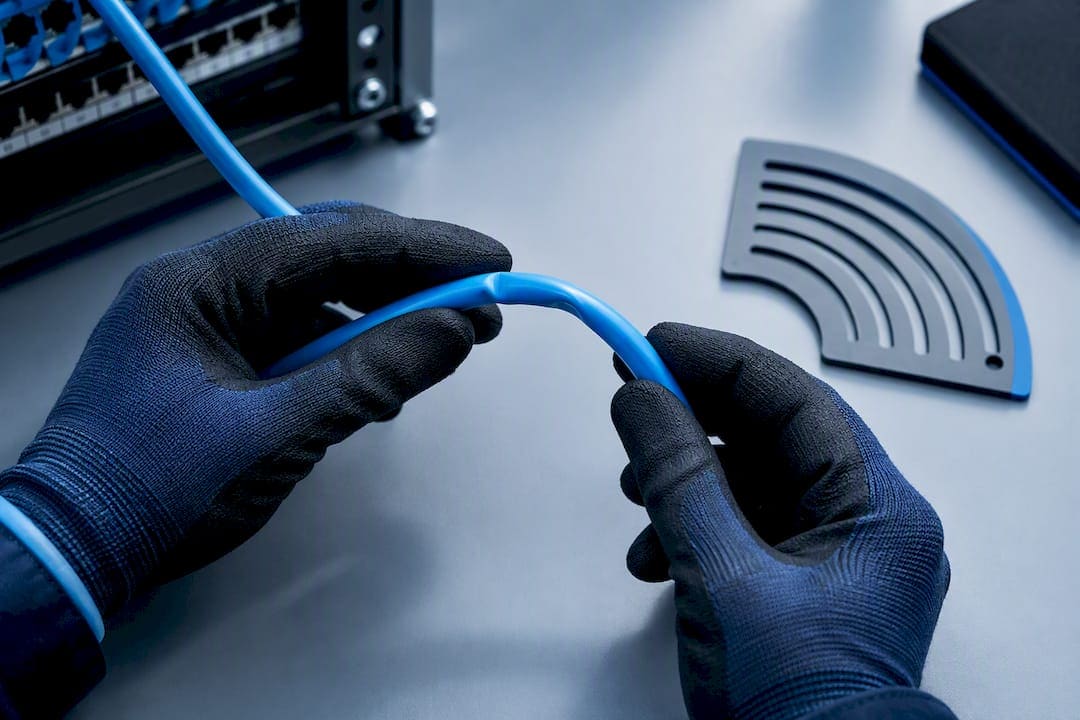
Physical handling over the years compounds this. Cables that have been repeatedly re-patched, re-routed during office renovations, or left compressed under heavier bundles as a building’s cable plant grew tend to accumulate small amounts of untwisting, kinking, and jacket damage. None of it shows up on a basic continuity check. All of it erodes the SNR margin 10G depends on.
Older installations are also more likely to run alongside cabling added at different times, in inconsistent bundles, without the alien crosstalk separation newer designs plan for from the start. That’s a structural problem, not an age problem, but the two tend to travel together in buildings with a long cabling history.
Before promoting any existing Cat6 plant to 10G, treat it as unverified regardless of how old or new it is. Full Level III or Level IV certification is the only way to know whether years of moves, adds, and changes left enough margin for a 10G signal to survive the channel.
Cat6A Upgrade or Fiber: Which Costs Less for 10G?
The honest answer depends on what you’re actually solving for: reach, or density.
Upgrading existing Cat6 to Cat6A usually means re-pulling horizontal cable, since Cat6A’s larger conductor gauge and jacket typically won’t fit through pathways sized for Cat6. That cost is mostly labor and cable material, scaled linearly by run count. For a floor with a moderate number of drops inside the 100-meter range, this is often the lower total-cost path, especially where existing pathways and closets can be reused.
Fiber changes the cost structure entirely. Material costs for fiber and its optics run higher per link than copper, but fiber removes distance as a constraint almost completely and eliminates alien crosstalk as an engineering problem outright. For backbone runs, riser connections between floors, or any path pushing past 100 meters, fiber frequently becomes the cheaper option once you account for what a long, marginal copper run costs in remediation and re-certification over its lifetime.
The practical split most IT teams land on: Cat6A for horizontal runs to the desk or access point within a single floor, fiber for backbone and inter-floor connections. Reviewing fiber’s advantages for backbone and long-run scenarios against your floor plan before committing to either path prevents the expensive mistake of Cat6A-ing a run that should have been fiber from the start.
Do You Need New Hardware to Run 10G Over Cat6?
Cabling is only half the equation. The switch ports and network interface cards on both ends of the link have to support 10GBASE-T, and that hardware compatibility question trips up more projects than the cabling does.
Confirm every switch port in the path is rated for 10GBASE-T over copper, not just 10G over SFP+ fiber. Many “10G-ready” switches ship with SFP+ cages that require a separate copper transceiver module to talk to an RJ45 endpoint, and those modules run hotter and draw more power than native 10GBASE-T ports. That heat matters more than it should, since it adds to the thermal load already pushing on the cable’s insertion loss margin.
Firmware matters too. Auto-negotiation between a 10GBASE-T NIC and switch port depends on both ends correctly advertising and accepting the same speed, and outdated NIC or switch firmware has been known to cause links to negotiate down to 1G or 2.5G rather than hold 10G, even on cabling that would otherwise support it. Before blaming the cable plant for an underperforming link, update firmware on both endpoints and confirm the auto-negotiation settings match.
Power budget is the final check. Native 10GBASE-T ports draw meaningfully more power than gigabit ports, and switches with dozens of 10G ports plus PoE++ endpoints can hit thermal or power-supply limits that throttle performance across the whole chassis, not just one port.
Where Does 10G Over Cat6 Actually Make Sense?
Cat6 for 10G works best in narrow, well-defined situations, and it works badly the moment you stretch it past them.
It’s viable for short desk-to-closet runs under 55 meters in a typical office floor plan, for existing Cat6 plants in smaller offices where certification confirms the margin holds, and for temporary or lab environments where a quick 10G link is needed and full Cat6A isn’t justified for the timeline. It’s also a reasonable stopgap when a single workstation needs a 10G upgrade and the existing run measures well under the limit.
It’s impractical for backbone connections, any run approaching or exceeding 55 meters, data center rows with heavy bundling and PoE density, or any deployment where multi-gig growth is expected within the next few years. Environments with electrically noisy equipment, like facilities with heavy industrial machinery or dense LED lighting retrofits, also push Cat6 past its comfort zone faster than office spaces do. A useful reference set of mixed cabling designs shows how IT teams typically split Cat6, Cat6A, and fiber across a single building rather than standardizing on one media type everywhere.
How Much Copper Risk Should IT Teams Accept?
Risk tolerance for 10G on copper should scale with what’s actually riding on the link. In a general office, a marginal Cat6 run that occasionally falls back to 1G is an inconvenience. In a data center or a secure facility’s backbone, the same instability is a liability nobody should accept.
My policy recommendation is simple: any exception to Cat6A or fiber for a 10G link should require documented re-certification, not a one-time pass at installation. Link health should be monitored on an ongoing basis, not assumed permanent. Cat6 earned its reduced-distance rating fairly, but that rating comes with less patience for the environment it’s installed in than most procurement documents acknowledge.
— Ken
Get Your Cat6 Links Surveyed and Certified
If your building has Cat6 runs you suspect are riding the edge of their 10G margin, guessing isn’t a strategy. Cables and Chips brings over 40 years of hands-on commercial cabling experience in New York City to exactly this problem: telling you, with real field certification data, whether your existing copper can carry 10G or whether it’s time for Cat6A or fiber.
A site survey identifies bundling density, termination quality, and pathway conditions before any work starts. From there, structured Cat6 and Cat6A installation and cable testing and certification confirm exactly which runs pass, which need remediation, and which should move to fiber. Every engagement includes documented as-built results, so your team has a record to point to the next time someone asks whether a link is actually rated for 10G. Visit the Cables and Chips services page to schedule a site survey and get a clear, tested answer instead of an assumption.
Sources
For deeper reading beyond this article, IEEE 802.3an remains the foundational standard defining 10GBASE-T over twisted pair, including the link characteristics that separate Class E from Class EA performance. TSB-155 supplies the Category 6 field guidance and alien crosstalk test methods that govern the 55-meter reduced-distance rule. For certification methodology and equipment guidance, Fluke Networks’ technical resources on twisted-pair and 10 Gigabit cabling cover the exact parameters a Level IV certifier needs to test.
- Twisted pair cabling and 10 Gigabit cabling | Fluke Networks
- 10GBASE-T background and link characteristics (Ethernet Alliance / IEEE excerpts)
- PN-3-0134 / TSB-155 draft guidance (TR42-10GBASE-T projects) — IEEE / TIA materials
- Cat6 vs Cat6A: What’s the difference and when do you need 10G? | CrimpShop
FAQ
Can You Run 10G Over Cat6?
Yes, but only to a reduced distance of about 55 meters, and only when the channel passes full alien crosstalk and insertion loss certification. Beyond that distance, or in bundled, high-heat pathways, Cat6 is characterized to 250 MHz rather than the 500 MHz Cat6A carries, which is why the margin runs out early.
Can You Do 10Gb Over Ethernet Without Upgrading Cabling?
It depends entirely on the existing cable grade and run length. Cat6 can support 10 Gigabit Ethernet (10GBASE-T) on short, verified runs, but Cat5e cannot reliably support 10G at any practical distance, and any Cat6 run over roughly 55 meters needs a Cat6A or fiber upgrade to hit 10G reliably.
How Far Can Cat6 Do 10G?
Cat6 supports 10GBASE-T to approximately 55 meters under standard test conditions, compared to the full 100-meter channel Cat6A supports. That figure assumes good installation practices; heavy bundling, heat, and poor terminations can push the usable distance shorter in real buildings.
What Cable Category Can Do 10G at Full 100 Meters?
Cat6A, also called Class EA, supports the full 100-meter 10GBASE-T channel because it’s characterized to 500 MHz and includes alien crosstalk testing that standard Cat6 does not. Fiber optic cabling also supports 10G well beyond 100 meters and is often the better choice for backbone runs. Cables and Chips installs both Cat6A and fiber for commercial and secure facilities, with pricing and scope available through a site survey.
What’s the Difference Between Cat6 and Cat6A for 10G?
Cat6 is specified to 250 MHz and Cat6A to 500 MHz, and that bandwidth difference is what determines whether a 10G channel can hold at 100 meters or needs to be cut to about 55 meters. Cat6A also adds dedicated alien crosstalk testing (PSANEXT, PSAACRF) that basic Cat6 certification doesn’t require, which is the real reason it handles dense, bundled installations more reliably.